Arc stops working on December 22.
If you live in your sidebar, Kaizu is for you. It keeps spaces, pinned tabs and Today tabs that clear themselves away. It runs on WebKit, the engine inside Safari, so it stays light on your Mac.
-
Spaces
One sidebar for each part of your life, a two-finger swipe apart. Pinned tabs stay. Today tabs archive themselves.
-
Command bar
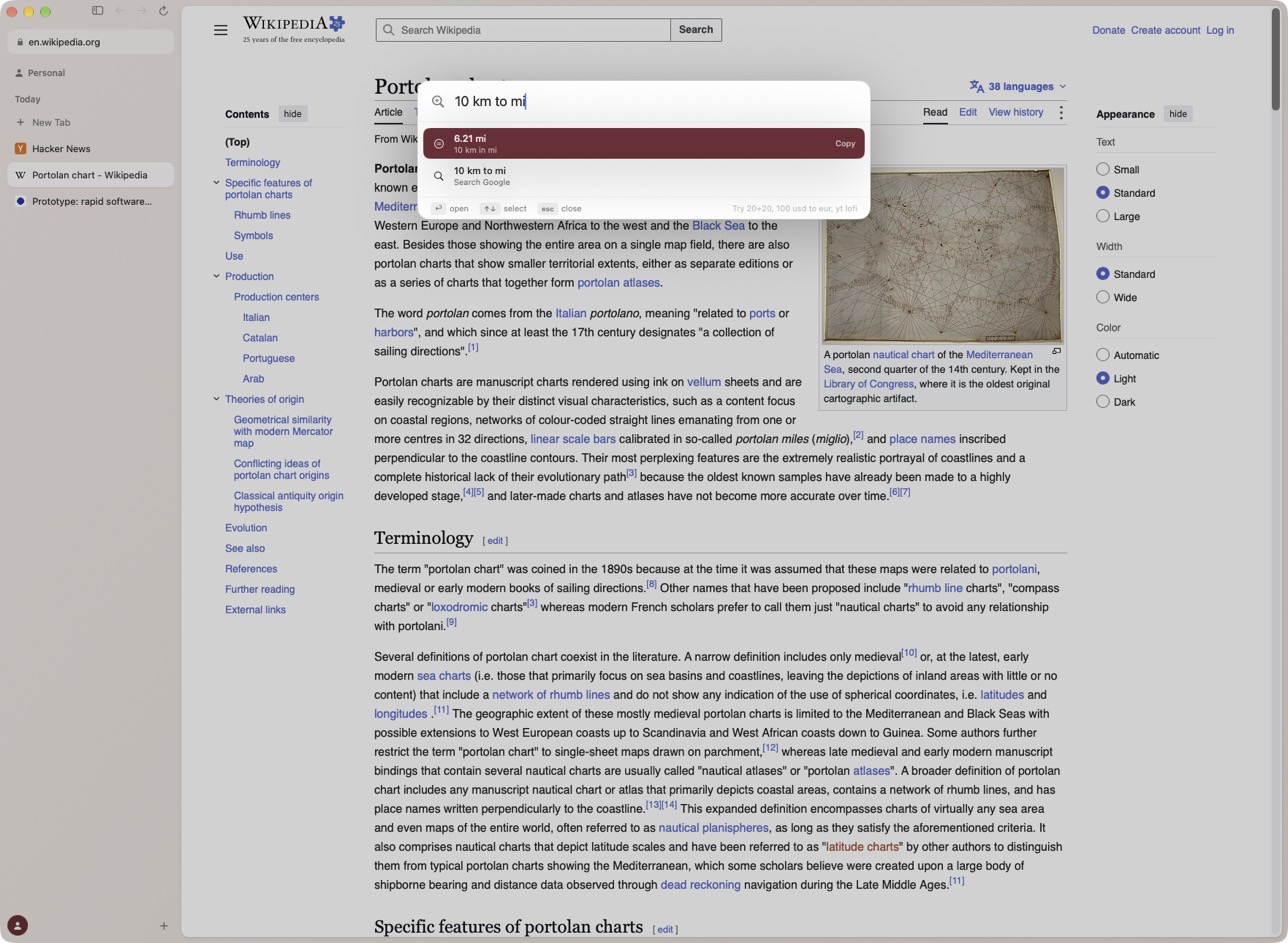
⌘T finds addresses, open tabs, history and every menu command. Type
10 km to mi
or100 usd to eur
and the answer is already there. -
Blocking
Ads, trackers and YouTube ads stay away, and cookie pop-ups get rejected for you. No extension needed.
-
Little windows
A link from another app opens small, so you can read it and get back to what you were doing.
-
Split view
Up to four pages side by side. Drag a tab onto the page.
-
Quick search
Bring the command bar up over any app, the way Spotlight works.
-
Profiles
Work and personal stay apart, with separate logins and site data.
-
Sleeping tabs
Idle tabs hibernate to save memory and wake where you left them.
-
Extensions
Press Add to Kaizu on the Chrome Web Store or Firefox Add-ons.
-
Reader
⇧⌘R sets an article in clean type, with nothing around it.
-
Capture
⇧⌘2, then drag over part of a page to copy it as an image.
Opening it the first time
Apple hasn’t checked Kaizu yet, so your Mac stops it once. It takes a minute, and you only do it the first time.
- Open the download and drag Kaizu to Applications.
- Open Kaizu. When macOS says it can’t verify the app, click Done.
- Go to System Settings, then Privacy & Security. Scroll down and click Open Anyway.
Or paste this into Terminal, then open Kaizu:
xattr -dr com.apple.quarantine /Applications/Kaizu.app
What’s still rough
- This is version 0.1.2, so keep your old browser around.
- Signing in to Google with a passkey can fail. Use your password.
- Some Chrome extensions need things WebKit doesn’t have, and only half work.
- It can’t import your Arc sidebar. You set up your spaces by hand.
- Macs with Intel chips can’t run it.
Staying up to date
You only download Kaizu once. New versions arrive on their own and install when you restart.
There’s no account and no analytics. Your tabs and history stay on your Mac.
Found a bug?
In Kaizu, choose Help, then Report a Bug. It drafts an email with the logs attached, and you can read everything before you send it. Or write to help@joinprototype.com.